Getting the NLP (No Line Power) status on your Schneider Altivar drive despite having power connected? Learn the top causes, from the 24V trap to hardware failures.
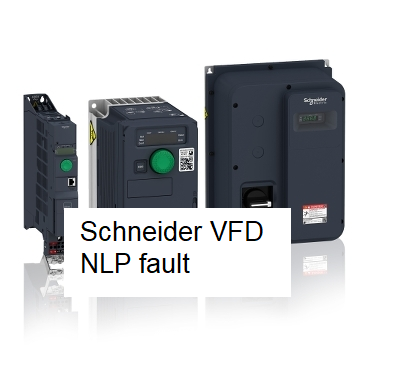
If you are looking at your Schneider Electric Altivar (ATV) drive and the display is flashing NLP, your first instinct might be to check the power switch. But what happens when you’ve verified that the line power is definitely connected and the breaker is on, yet the drive still refuses to run and insists there is “No Line Power”?
First, a quick clarification: NLP is technically a status, not a fault. It stands for No Line Power. It means the control board (the “brain”) is awake, but the power section (the “muscle”) is not receiving enough voltage to operate. Here is a human-made guide to help you find the missing link.
1. The Most Common Culprit: The “External 24V” Trap
In modern industrial panels, we often provide an external 24V DC supply to the VFD control terminals (+24V and COM). This keeps the screen on and the communication (Modbus/Ethernet) active even when the main high-voltage power is disconnected for safety.
- The Scenario: Your screen is lit up and you can navigate the menus, so you assume the drive has power.
- The Reality: You are only seeing the control power. If the main 230V or 480V AC supply at terminals L1, L2, and L3 is missing or disconnected, the drive will display NLP.
- The Fix: Verify that the main disconnect or contactor is actually sending high voltage to the drive, not just the 24V logic power.
2. Blown Input Fuses or Tripped Breaker
Sometimes power is “connected” at the source, but it isn’t making it to the drive. Because the drive’s display can be powered by a single phase or the external 24V mentioned above, it might stay on even if two out of three phases are dead.
- Action: Use a multimeter to measure voltage directly at the drive terminals (L1, L2, L3).
- Check for balanced voltage between L1-L2, L2-L3, and L1-L3.
- If you have 0V on any phase, go upstream to check your high-speed semiconductor fuses or the circuit breaker.
3. DC Bus Voltage is Too Low
The “NLP” status is triggered when the internal DC Bus voltage falls below a specific threshold. Even if you have AC power connected, the drive won’t exit NLP status if that AC isn’t being converted to DC correctly.
- Check the DC Bus: Most Schneider Altivar drives allow you to monitor the DC bus voltage in the Monitoring [MON] menu (Parameter VDC).
- Rule of Thumb: The DC bus should be approximately 1.41 x your AC Input Voltage. (e.g., for a 400V supply, you should see ~560V DC).
- If your AC input is correct but the DC bus is sitting at a very low value, your internal rectifier bridge or charging resistors may be failing.
4. Failed Pre-charge Relay
When you first power on a drive, it uses a “pre-charge” circuit (a resistor and a relay/contactor) to slowly fill the capacitors. Once they are full, the relay clicks over to provide full power.
- If this internal relay fails to close, the DC bus will never reach full potential.
- The drive will stay in NLP because it knows it doesn’t have the “tank capacity” to run the motor.
- The “Click” Test: When you apply main power, you should hear a faint but distinct mechanical “click” inside the drive after a second or two. If you don’t hear it, the pre-charge circuit is likely damaged.
5. Input Phase Loss (Intermittent)
If the NLP status flickers or only appears when you try to start the motor, you might have a “soft” phase. This happens when a wire is physically connected but loose.
- Check Terminals: Ensure the L1, L2, and L3 screws are tightened to the correct torque. A loose connection will cause a voltage drop the moment the drive tries to pull current, dropping it back into NLP status.
Summary Checklist
| Step | Diagnostic Action | Potential Cause |
|---|---|---|
| 1 | Measure L1-L2-L3 directly at the VFD. | Upstream fuse/breaker or wiring break. |
| 2 | Check if external 24V is being used. | Control is on, but main power is off. |
| 3 | Monitor VDC in the MON menu. | DC bus under-voltage or rectifier failure. |
| 4 | Listen for internal relay “clack.” | Faulty pre-charge circuit. |
Technician’s Final Tip: If you have 480V at the terminals, your DC bus monitor shows a healthy 670V, and the drive still shows NLP, try a factory reset. In rare cases, a firmware glitch can cause the NLP status to hang. If the reset fails, the internal voltage sensing circuit is likely defective, and the drive will need professional repair or replacement.