Notifications
Clear all
ABB ACS355 Drive
1
Posts
1
Users
0
Reactions
2,703
Views

Jun 22, 2024 12:07 pm
Optimize your ABB ACS355 drive performance by configuring parameters like motor data, control mode, ramp times, and more. This guide provides a comprehensive overview for efficient setup.
Here is step by step programming of ABB ACS355 drive:
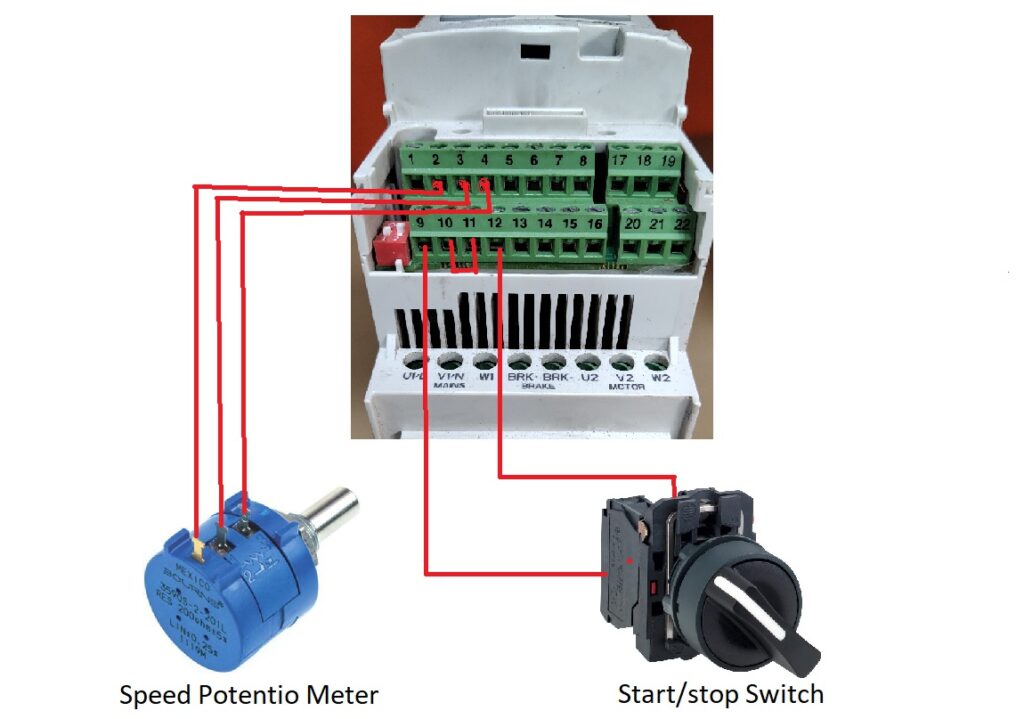
Step 1 – control wiring
Connect all control wiring for start/stop and speed reference. Below image show control wiring of ACS355 drive.
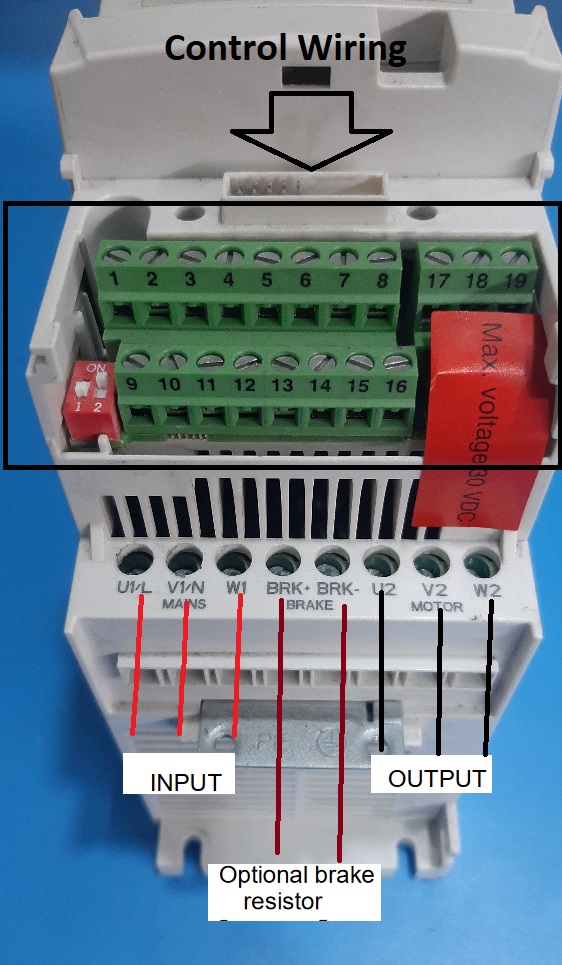
Step 2 – Power wiring
Connect input power wiring and motor wiring to the drive. Below image show power wiring of ACS355 drive.
Step 3 – Parameters
Below list show all parameter used in ACS355 drive programming.
| Motor Data | |||
| Application Macro | 9902 | 1 | ABB Standard |
| Motor Voltage | 9905 | ……V | Voltage |
| Motor Current | 9906 | ……A | Ampere |
| Motor Frequency | 9907 | ……Hz | Freq |
| Motor Speed | 9908 | ……rpm | Speed |
| Motor Power | 9909 | ……KW | Power |
| Limits | |||
| Minimum Speed | 2001 | ……rpm | rpm |
| Maximum Speed | 2002 | ……rpm | rpm |
| Minimum frequency | 2007 | ……Hz | Hz |
| Maximum frequency | 2008 | ……Hz | Hz |
| ACC Time | 2202 | ……s | s |
| DEC Time | 2203 | ……s | s |
| Ref minimum | 1104 | …… | Hz/rpm |
| Ref Maximum | 1105 | …… | Hz/rpm |
Step 4 – Testing and Verification
- Start the Motor: Once programming is complete, you can initiate motor operation using the start/stop buttons on the control panel or through external control signals if configured.
- Monitor Performance: Observe the motor's operation and verify it functions as intended. If adjustments are needed, return to parameter setting mode and fine-tune the settings