Siemens G120, F30003 fault, DC link undervoltage, VFD power supply failure, Siemens SINAMICS troubleshooting, line supply voltage check, VFD phase loss.
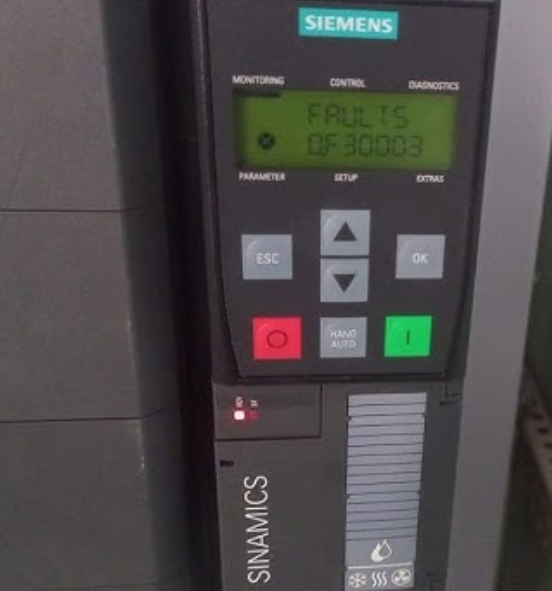
In the world of Variable Frequency Drives (VFDs), the DC link is the heart of the system. It stores energy and converts incoming AC power into a stable DC supply for the motor. When your Siemens SINAMICS G120 drive trips with Fault F30003 (DC Link Undervoltage), it means that this “heart” is not receiving enough power to maintain a stable voltage.
This fault is a critical safety stop. If the drive were to continue operating with unstable DC voltage, it could lead to erratic motor behavior or damage to the drive’s internal components. Here is how to diagnose and fix the power supply issues causing this alarm.
What Triggers Fault F30003?
When the DC link voltage drops below a specific, pre-defined threshold, the G120 triggers this fault. The primary causes are almost always related to the incoming AC power supply:
- Line Supply Failure: A complete loss of power to the drive.
- Voltage Sag/Brownout: The incoming supply voltage has dipped below the drive’s permissible range.
- Phase Loss: One of the three phases of your power supply has been interrupted, causing the drive to lose its ability to maintain a full DC charge.
- Loose Connections: Corroded or loose terminals at the main circuit breaker, contactor, or drive input terminals (L1, L2, L3).
Step-by-Step Troubleshooting Guide
Warning: Ensure you are wearing appropriate Personal Protective Equipment (PPE) when measuring live voltages. Always follow your facility’s electrical safety protocols.
1. Check the Input Supply Voltage
Before assuming the drive is broken, verify the power quality:
- Use a digital multimeter to measure the voltage across the input terminals (L1, L2, and L3) on the G120 Power Module.
- Compare the measured value against the drive’s nameplate specifications. If the voltage is significantly lower than the rated input voltage, the issue lies with your facility’s power transformer or the electrical grid.
2. Inspect for Phase Loss
A missing phase is a classic cause of F30003. Even if the drive shows some voltage, it may not be enough to hold the DC bus steady under load:
- Measure the voltage between L1-L2, L2-L3, and L1-L3.
- The readings should be balanced. If one reading is near zero or significantly lower than the others, you have a blown fuse, a tripped circuit breaker, or a faulty contactor upstream.
3. Check Connections
Vibration is the enemy of electrical connections. Inspect the entire power path:
- Check the terminals on your main disconnect switch, contactors, and the G120 power input terminals.
- Look for signs of discoloration or “burning,” which indicate high resistance or arcing. Tighten any loose connections found.
4. Consider Transient Dips
If the fault occurs only when a large machine starts elsewhere in the factory, you may be experiencing a voltage sag. In this case, ensure your control power and main power are adequately separated and that your drive is not being subjected to excessive electrical “noise.”
How to Reset the Fault
Once you have identified and repaired the issue with the line supply, you can clear the F30003 fault:
- Reset command: Use the [ACK] button on the Intelligent Operator Panel (IOP-2) or Basic Operator Panel (BOP-2).
- Digital Input: If configured, toggle the assigned “Fault Acknowledge” digital input.
- Communication: Reset the fault via your fieldbus communication (e.g., PROFINET or PROFIBUS).
Final Note
If you have verified that the input voltage is perfect, the phases are balanced, and the connections are tight, but the drive continues to report F30003, there is a possibility that the internal charging circuit (pre-charge resistors or relays) inside the G120 Power Module has failed. In that case, the Power Module likely requires professional service or replacement.