Is your Siemens SINAMICS G120 or S120 drive tripping on Fault F30002? Learn how to diagnose DC link overvoltage, adjust ramp times, and check braking resistors.
Siemens SINAMICS Fault F30002 indicates Overvoltage. This means the braking resistor cannot handle the energy, supply voltage is too high, or hardware (voltage sensing) fails.
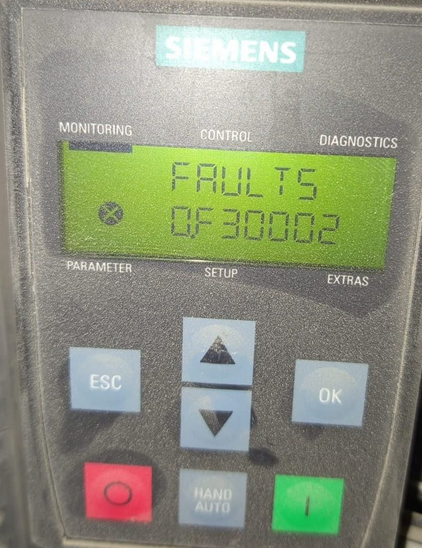
Siemens SINAMICS Fault: F30002
F30002
Description: DC Link Overvoltage
On the Siemens SINAMICS G120 and S120 series, Fault F30002 indicates that the DC link voltage has exceeded the maximum allowable threshold. This trip is designed to protect the DC link capacitors and power semiconductors from high-voltage damage.
Primary Causes of F30002
- Regenerative Energy: The motor is acting as a generator during deceleration (braking too fast), pumping energy back into the drive.
- High Supply Voltage: The incoming AC line voltage is too high or experiencing transient spikes.
- Deceleration Ramp Too Short: The drive is trying to stop a high-inertia load faster than the braking system can handle.
- Braking Resistor Failure: The external braking resistor is disconnected, faulty, or the braking chopper is not functioning.
- Incorrect Supply Voltage Setting: Parameter
p0210is set incorrectly for the actual line voltage.
Troubleshooting Steps
1. Monitor the Actual DC Link Voltage
Check the value of Actual DC link voltage. For a 400V drive, the trip usually occurs around 800V DC. If the voltage rises only during deceleration, the problem is regenerative energy.
2. Increase Deceleration Time
Navigate to Deceleration time and increase the value. A longer ramp-down time allows the energy to dissipate more slowly, preventing the DC link from spiking.
3. Enable the Vdc_max Controller
Allows the drive to automatically extend the deceleration time if the DC link voltage gets too high, effectively preventing the fault.
4. Inspect the Braking Resistor
If an external resistor is used, verify its resistance with a multimeter (ensure power is OFF). Check the wiring between the resistor and the drive’s R1/R2 or DCP/R terminals.
5. Check Supply Voltage Parameter
Verify that Device supply voltage matches your actual incoming AC voltage (e.g., 400V or 480V). If this is set too low, the drive’s overvoltage threshold will also be too low.
Key Parameters to Review
| Parameter Name | Recommended Action |
|---|---|
| Actual DC Link Voltage | View actual voltage to diagnose spikes. |
| Deceleration Time | Increase value to slow down braking. |
| Vdc_max Controller | Set to 1 to auto-extend ramp-down. |
| Supply Voltage | Must match the physical line voltage. |
Pro-Tip: If F30002 occurs while the drive is not even running, check for “voltage swells” in your plant’s power grid or ensure that a line reactor is installed to filter out incoming transients.